Construction equipment tracking software
Every tool, machine and vehicle in one register, checked out to the job it is on and back in with its condition recorded.
How equipment & assets works in WorkHoist
8 stepsYour whole fleet on one register
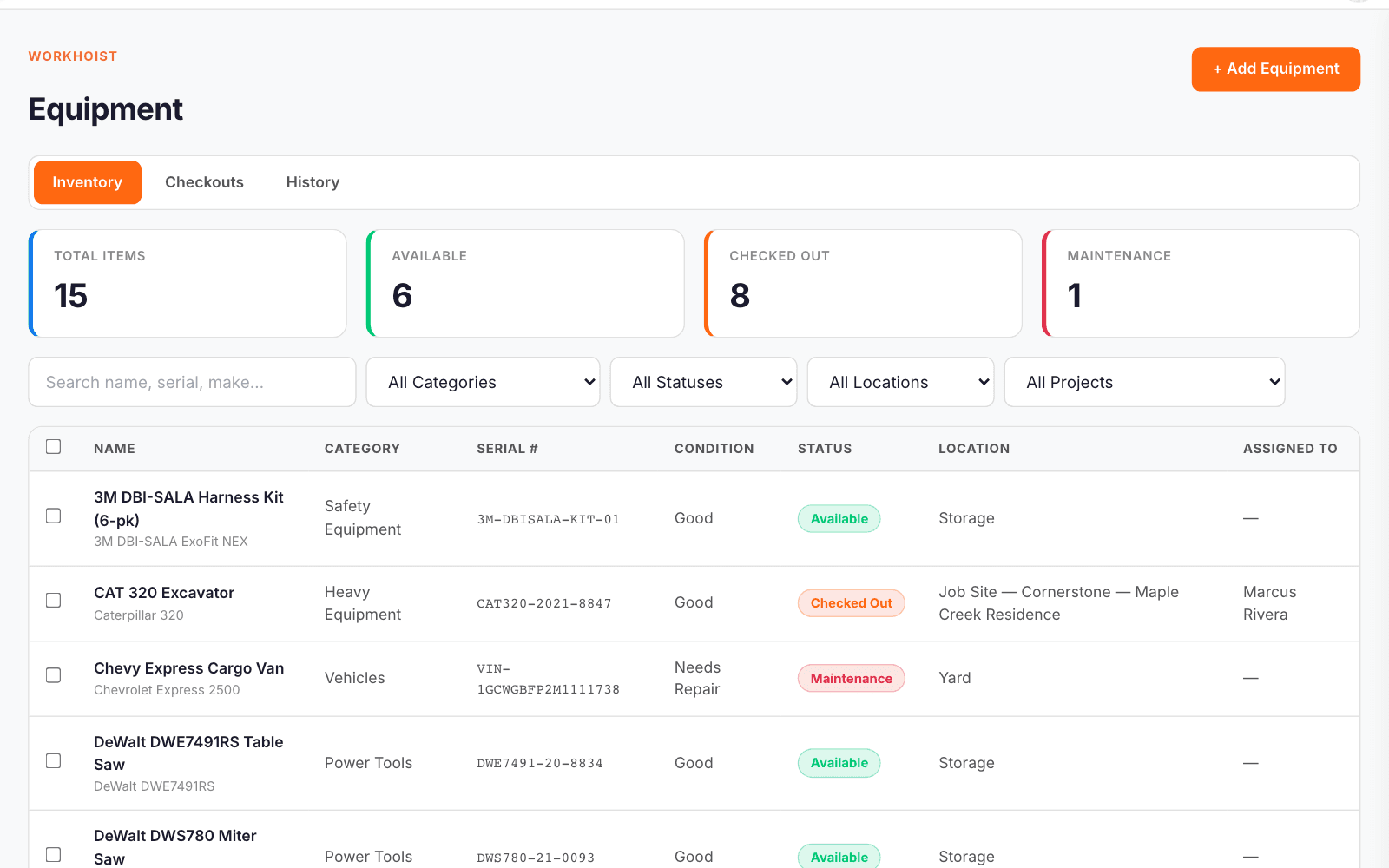
Every asset in one list with live counts of what is available, checked out and in maintenance. Search by name, serial, make or model and filter by category, status, location or job.
Add an asset with its accessories
Record the category, serial number, make, model, condition, where it lives and what it cost, add a photo, and list the accessories that belong with it.
Open the full record
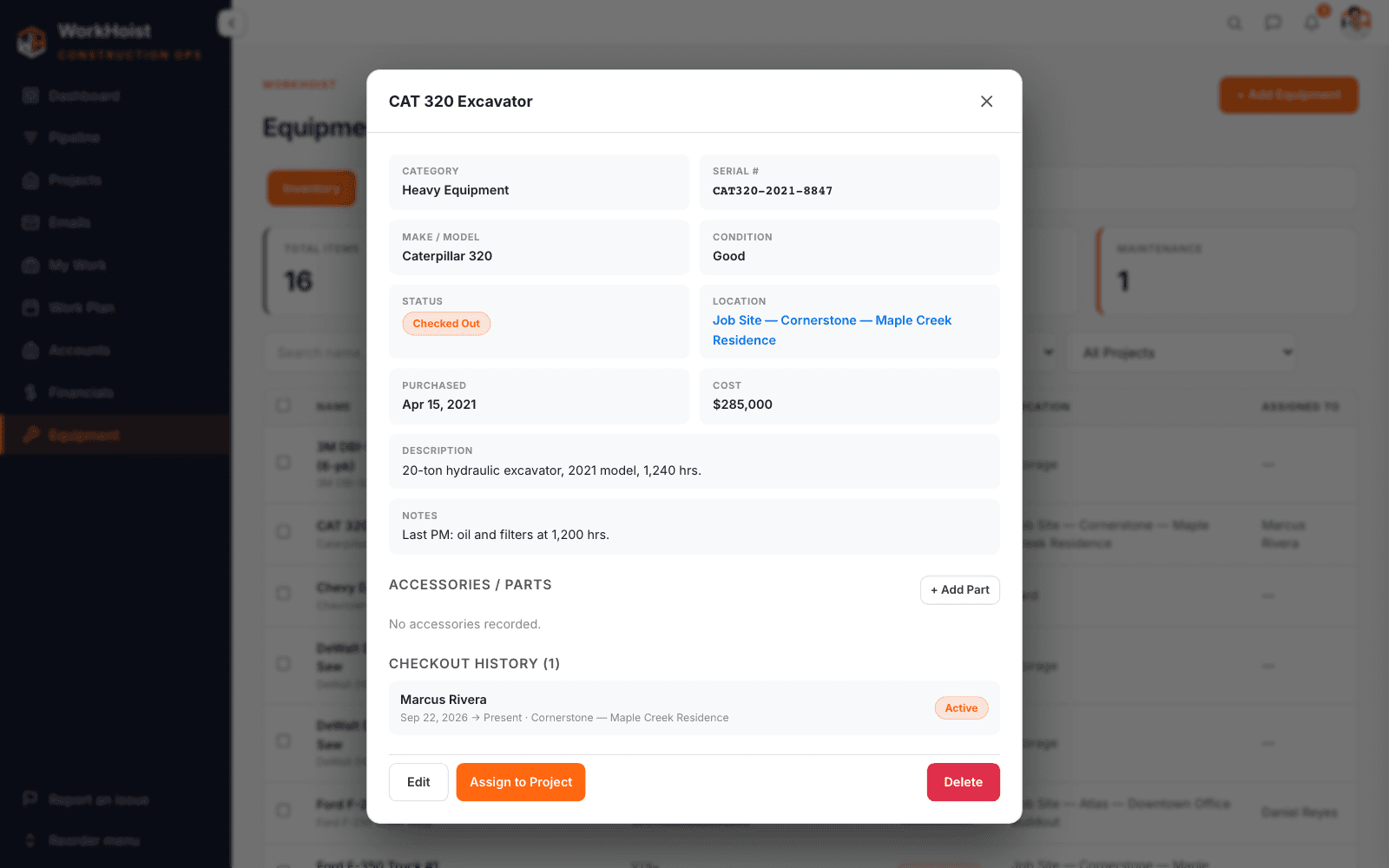
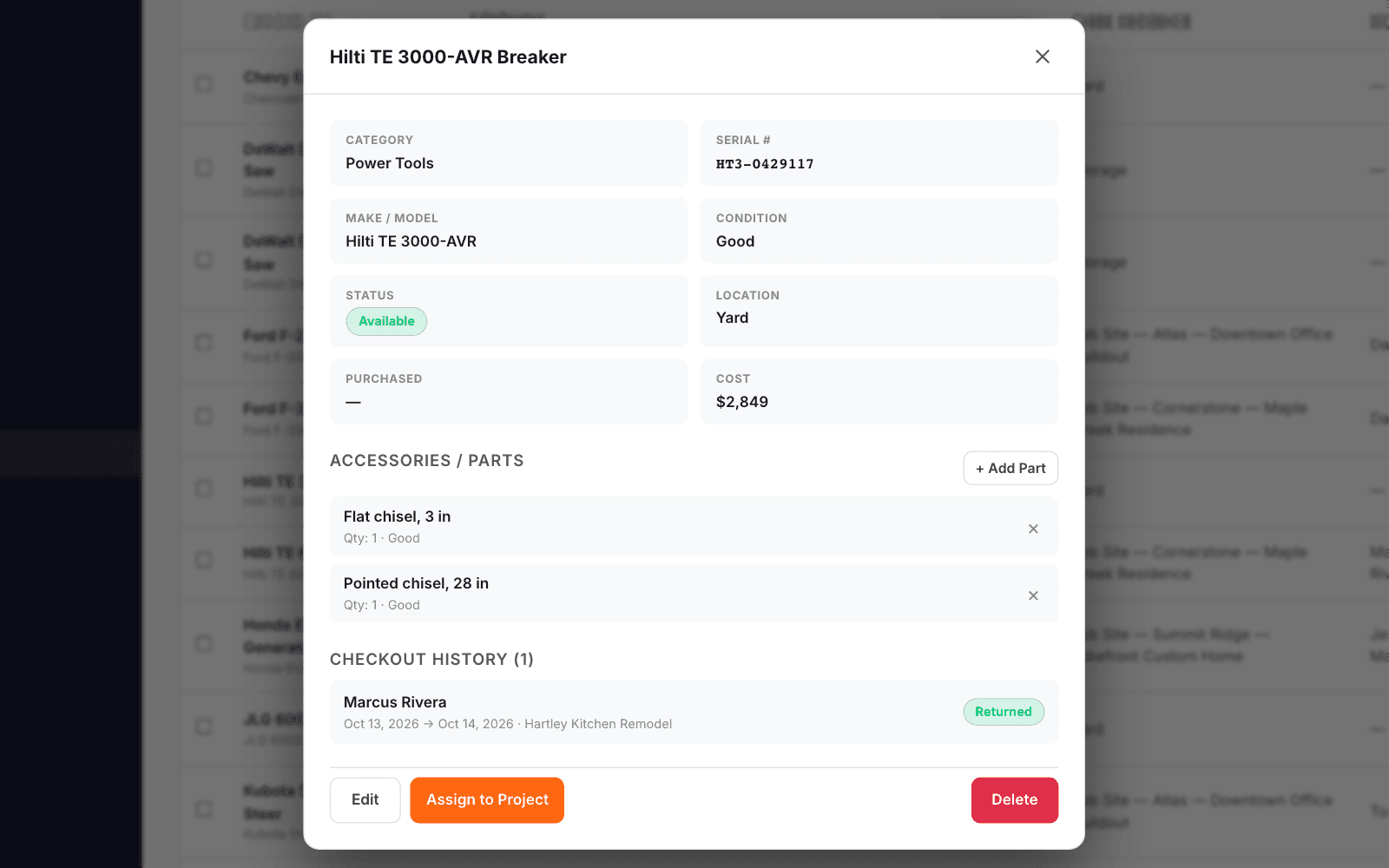
Each asset keeps its details, accessories and every checkout: who had it, which job, and the photos taken going out and coming back.
Check it out to the job
Pick the item, tick the accessories going with it, choose who is taking it and which job, set its condition and when it is due back, and add photos.
See what is out, and what is overdue
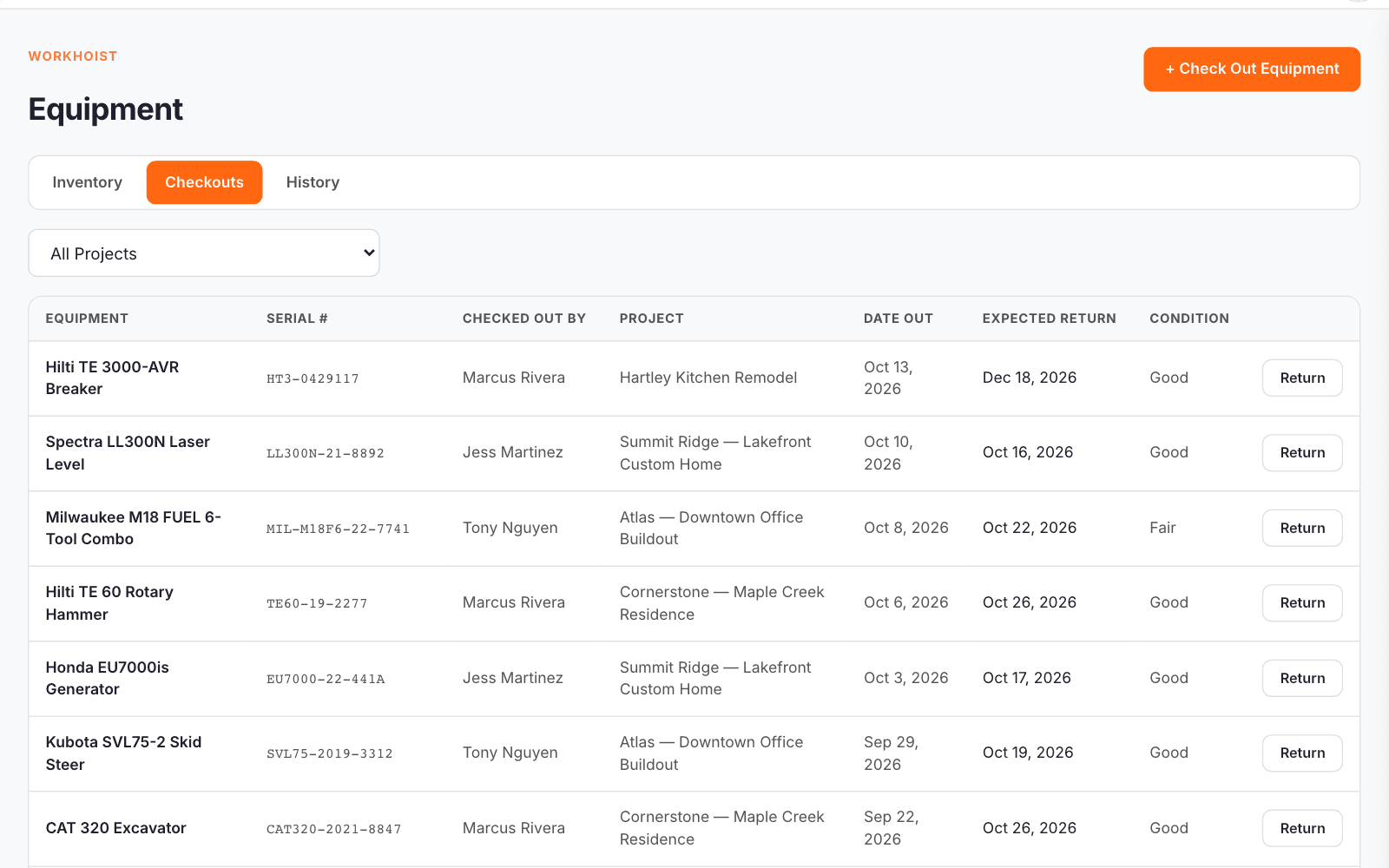
One list of everything checked out: who has it, which job, when it went and when it is due back. Anything past its return date is flagged Overdue.
Equipment on the job
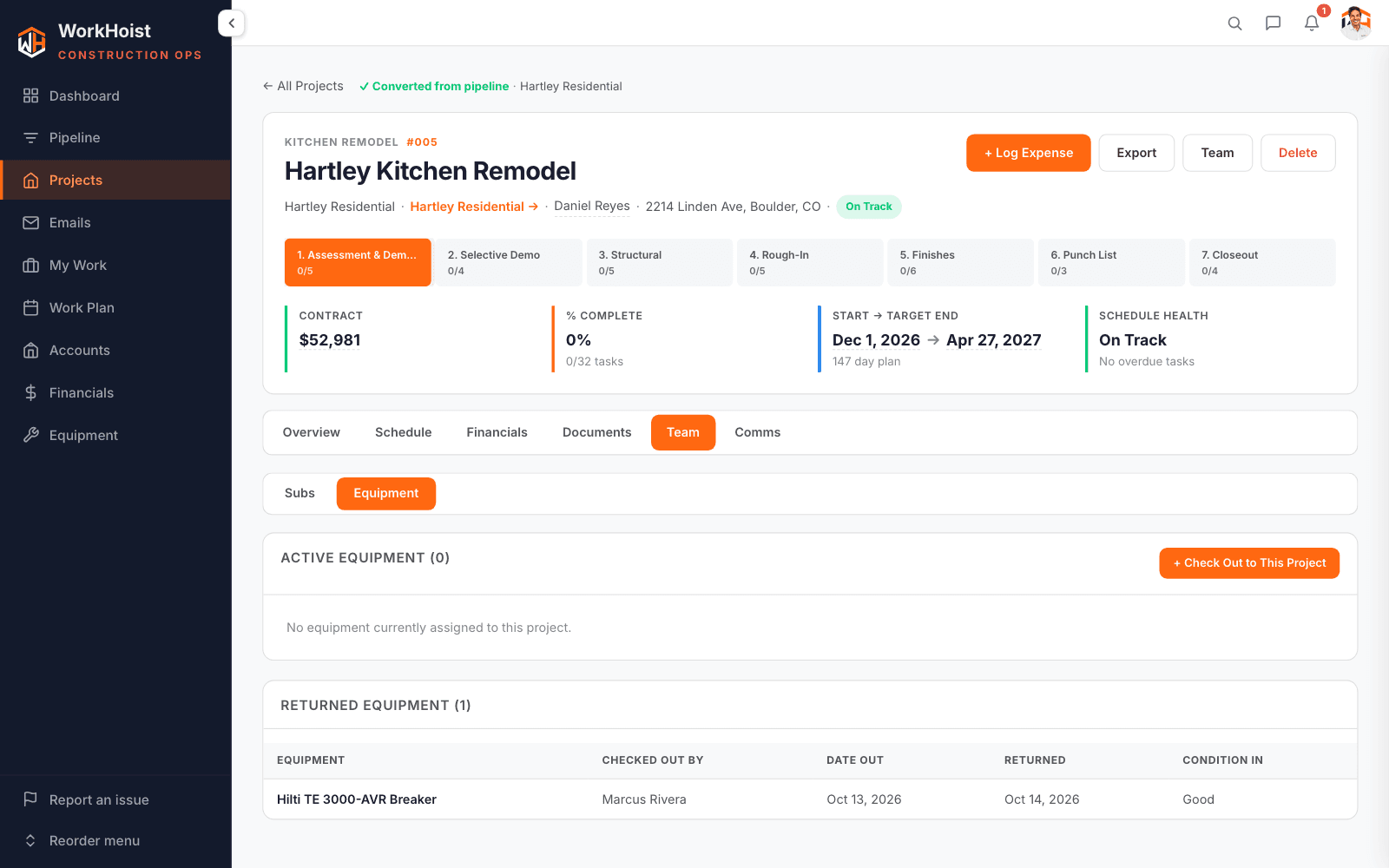
Each job has its own equipment view: what is on site now, who checked it out, and what has come back.
Check it back in
Record the condition it came back in, what happened and return photos beside the checkout photos. The item goes back to available and the office gets an alert.
The full history
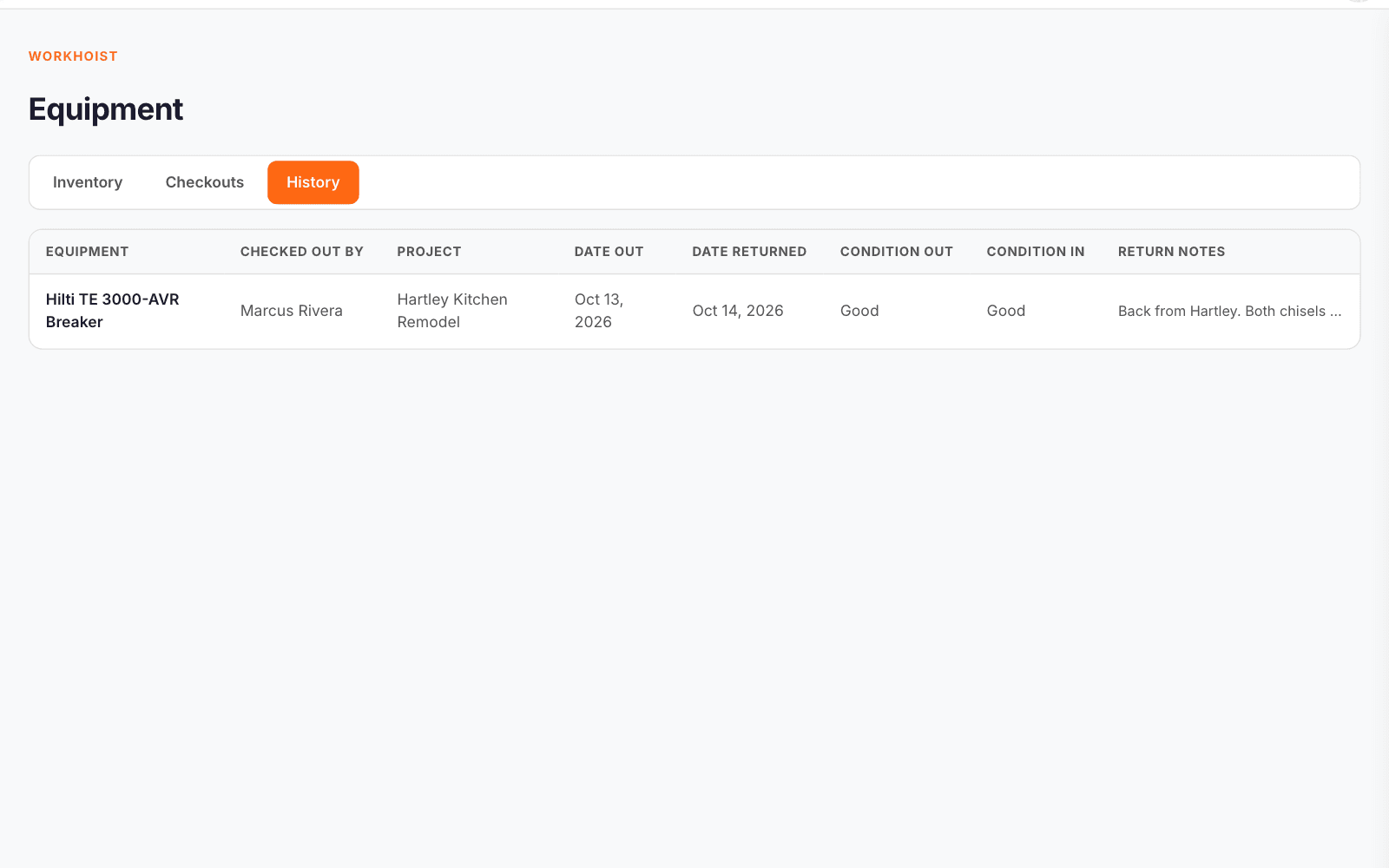
Every completed checkout: who took it, which job, dates out and back, condition out and in, and the return notes.