Construction project management and scheduling software
Every job’s phases, tasks and timeline, with the daily logs, RFIs and submittals that go with it, the crew calendar and the equipment on site.
How projects & scheduling works in WorkHoist
8 stepsEvery job on one board
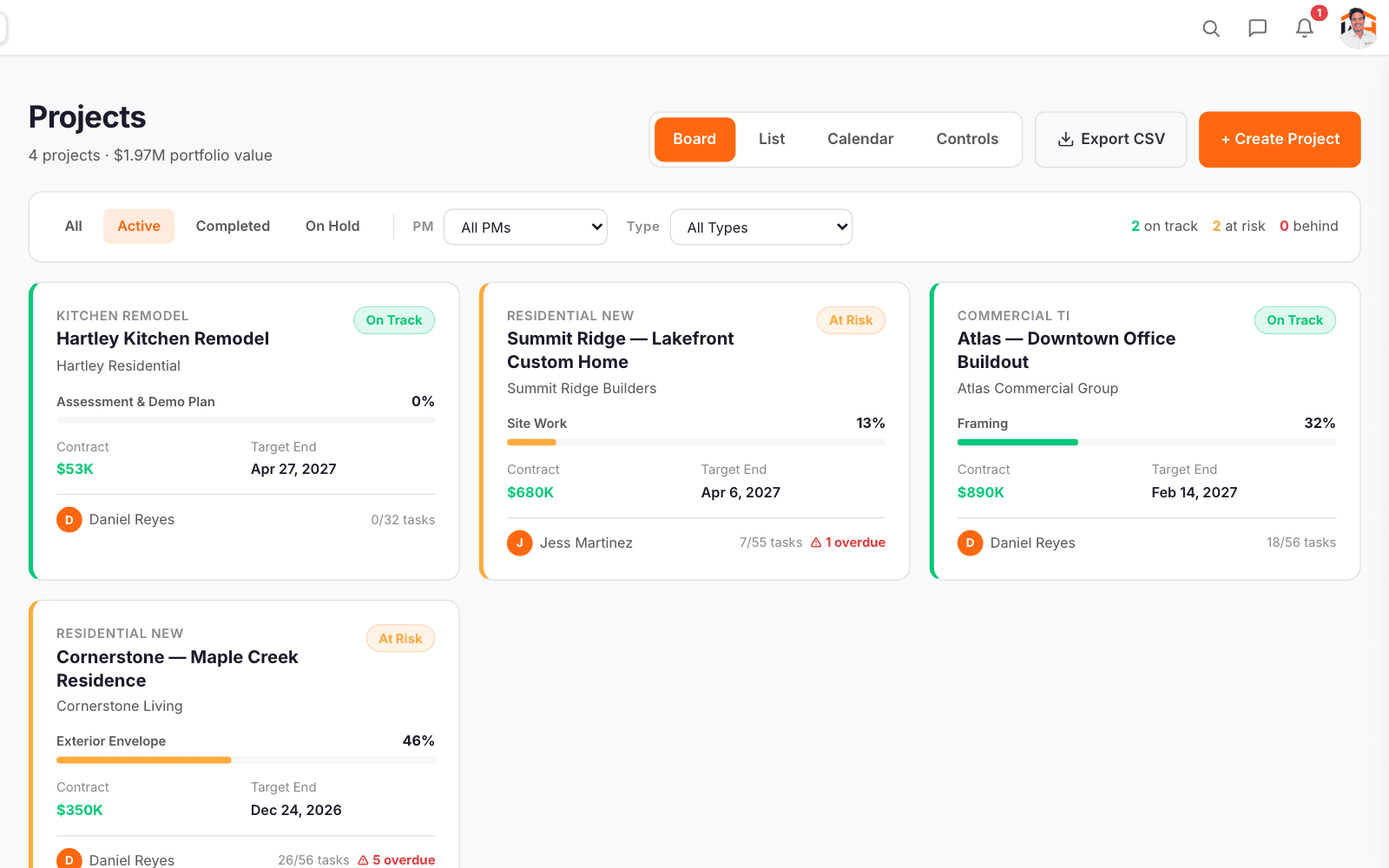
Each job is a card with its schedule health, contract value, percent complete, target end and any overdue tasks.
The job at a glance
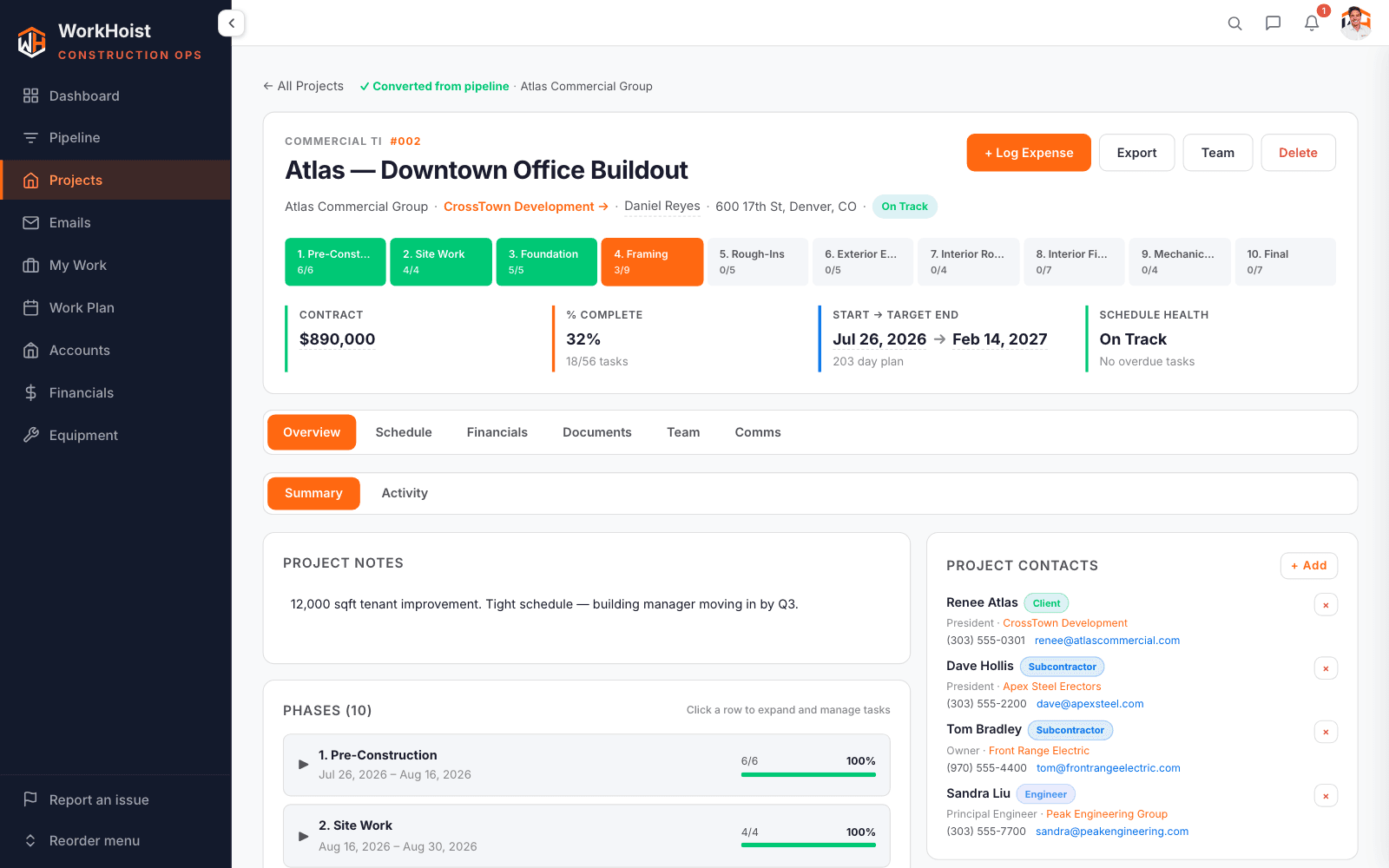
The top of each job shows the client, the PM and the phases in order, with the contract, percent complete from finished tasks, the dates and schedule health from overdue tasks.
A timeline with linked tasks
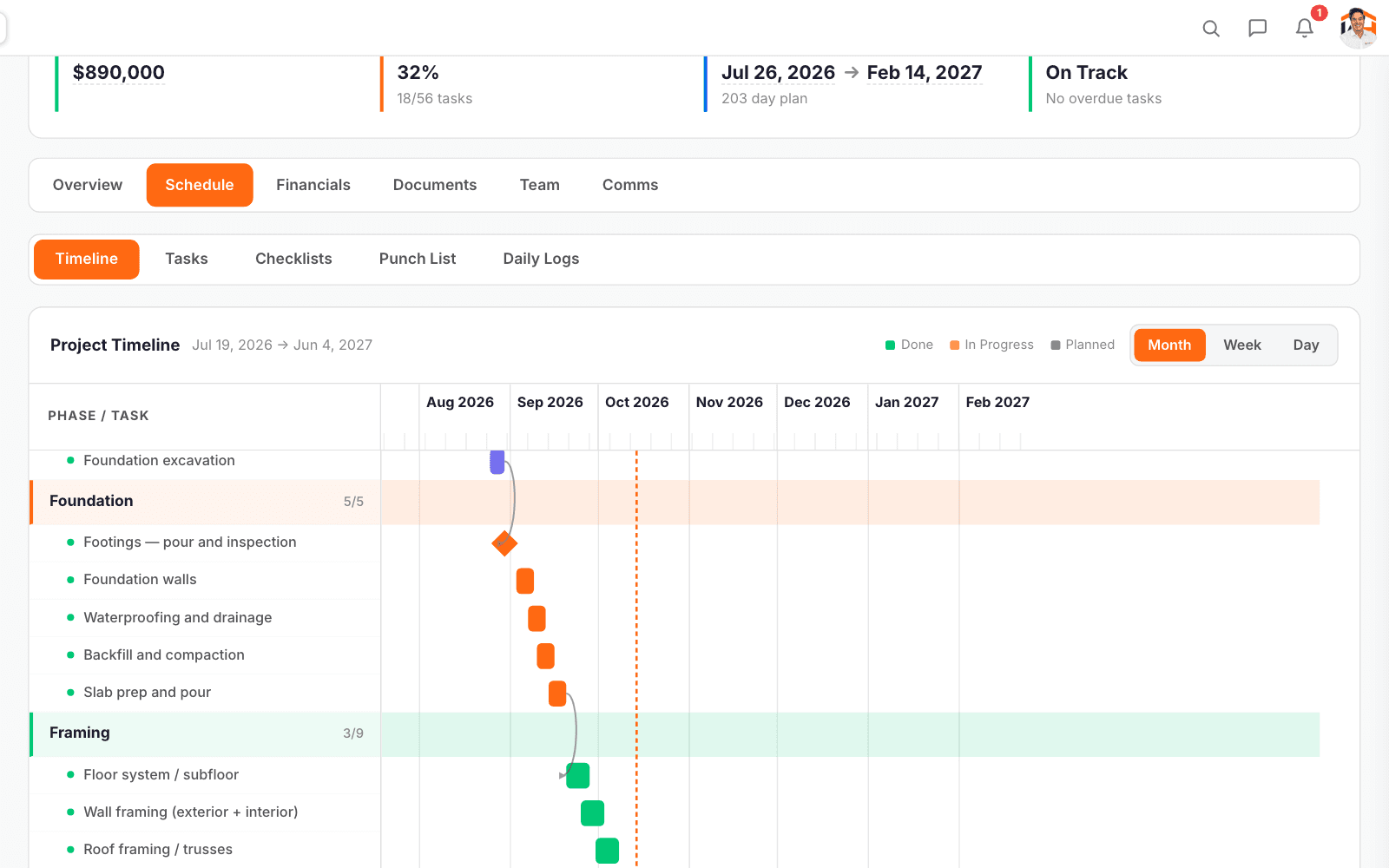
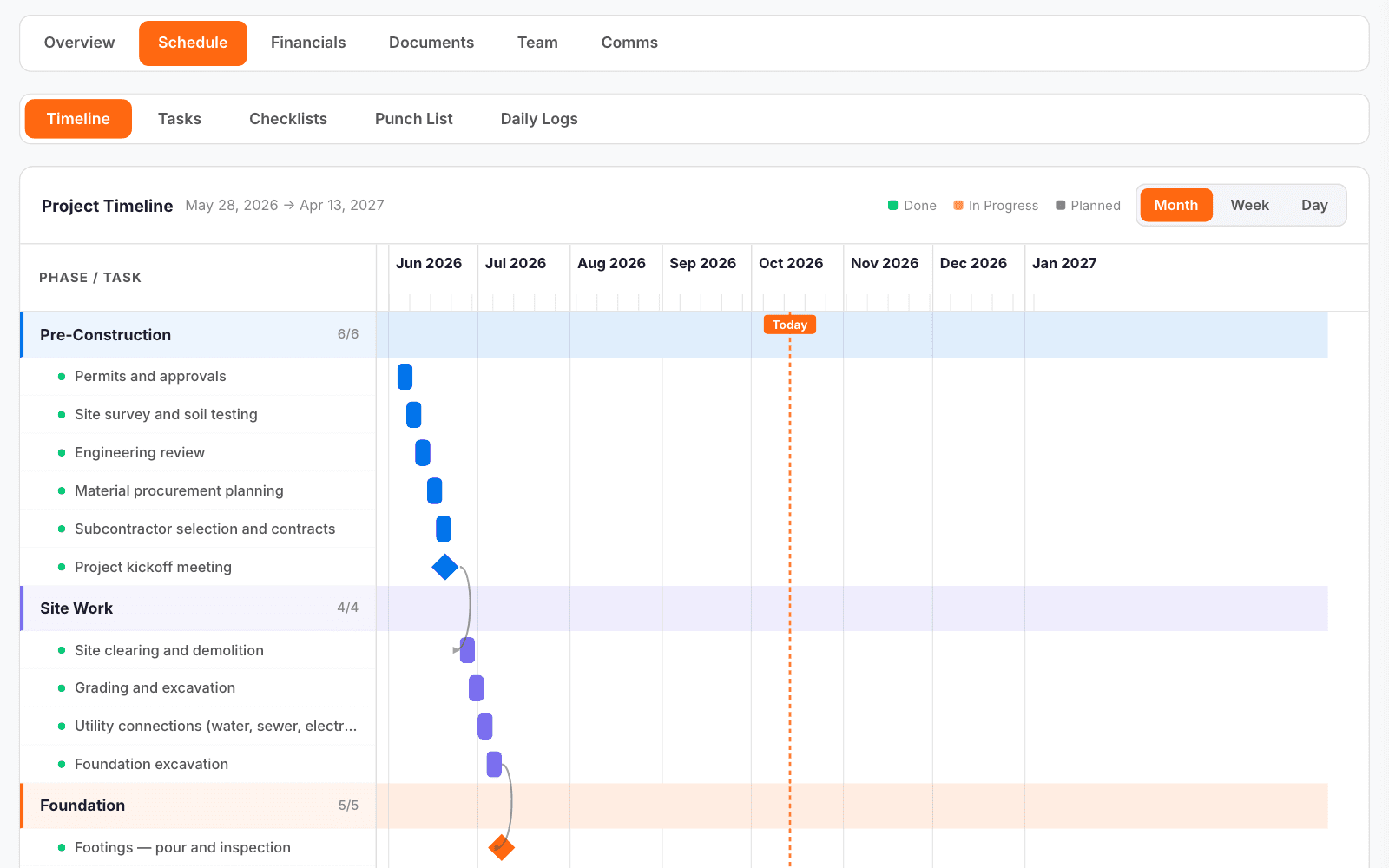
Phases and tasks run as bars on a Gantt timeline by month, week or day, with a line for today and arrows from each task to the ones that follow it.
Add a task to a phase
Give it a name, a phase, an assignee and dates. Open any task to set its status and priority and which tasks it follows.
The daily log, filed the same day
One log per day per job: crew, weather, work done, deliveries, equipment, delays, safety and notes, with site photos.
What is left before handover
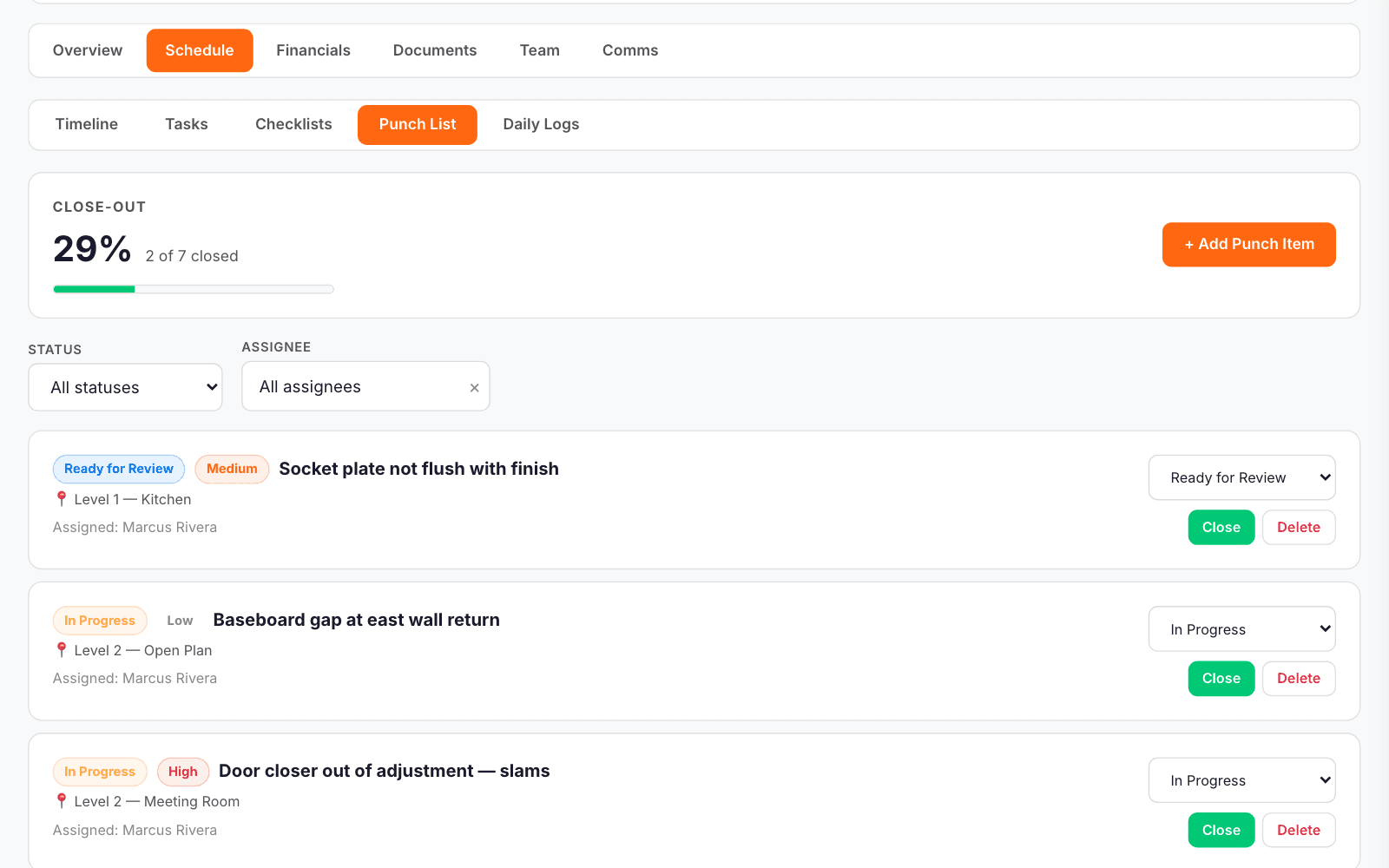
Punch items carry a location, an owner, a priority and photos, with the close-out percentage across the top.
RFIs and submittals as records
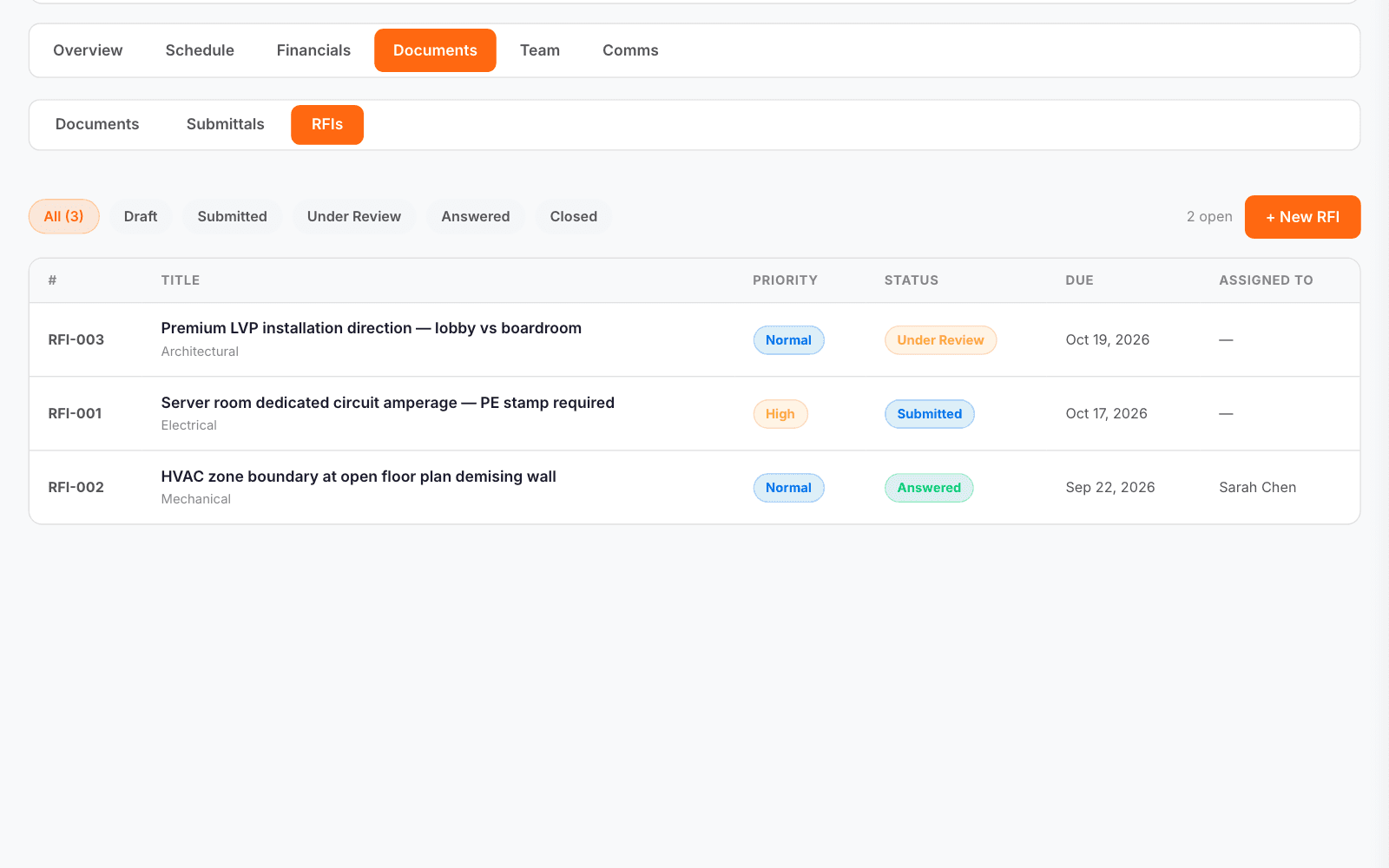
Each RFI and submittal is its own numbered record with a status, a due date and who it is with. A client can answer the RFIs put to them in their portal.
Drawings and documents on the job
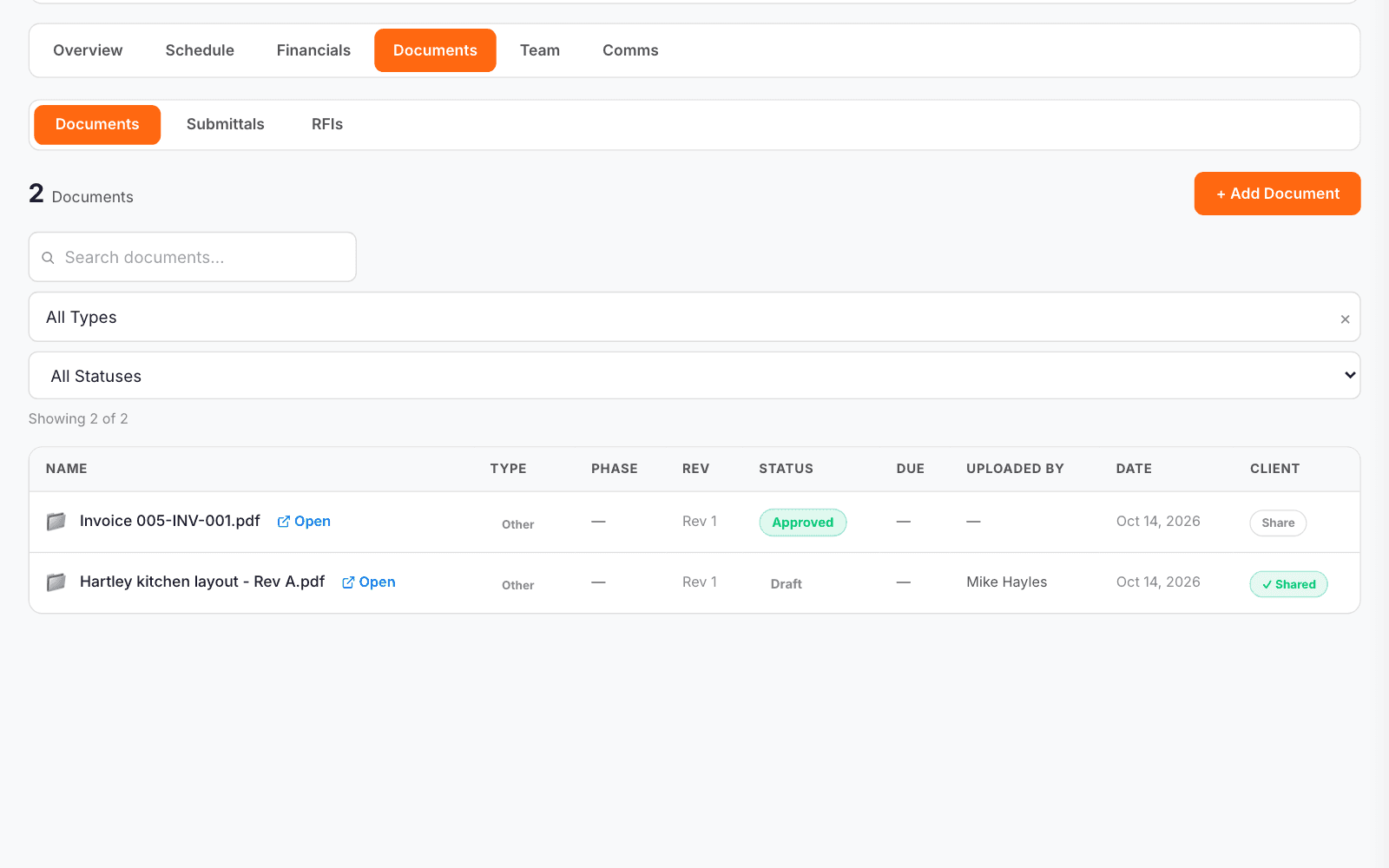
Drawings, specs and contracts live on the job by type and status, and one click shares a document with the client.