Construction job costing software with live P&L

Budgets, change orders, purchase orders, expenses and pay applications on every job, with the margin worked out as the costs come in rather than at month end.
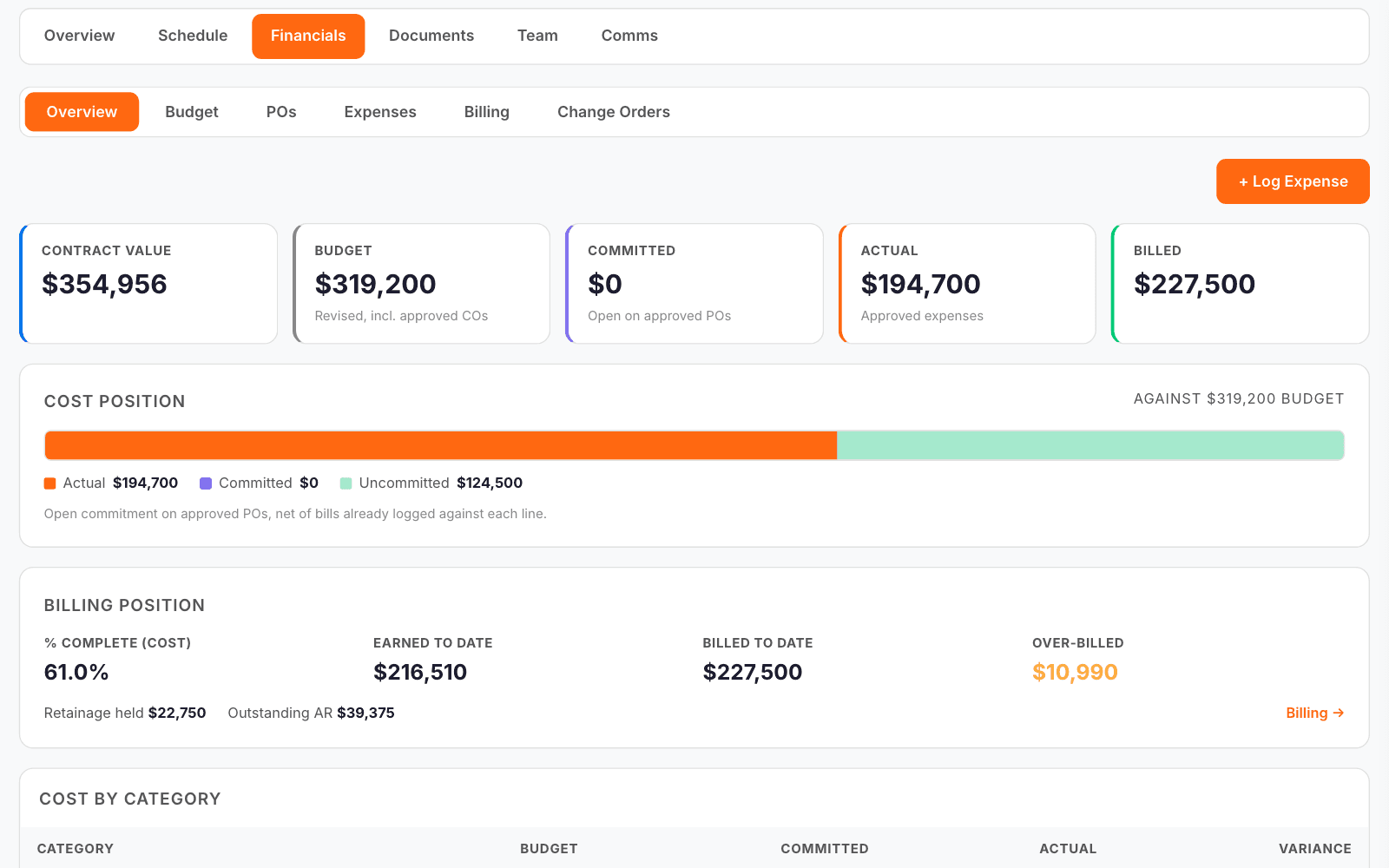
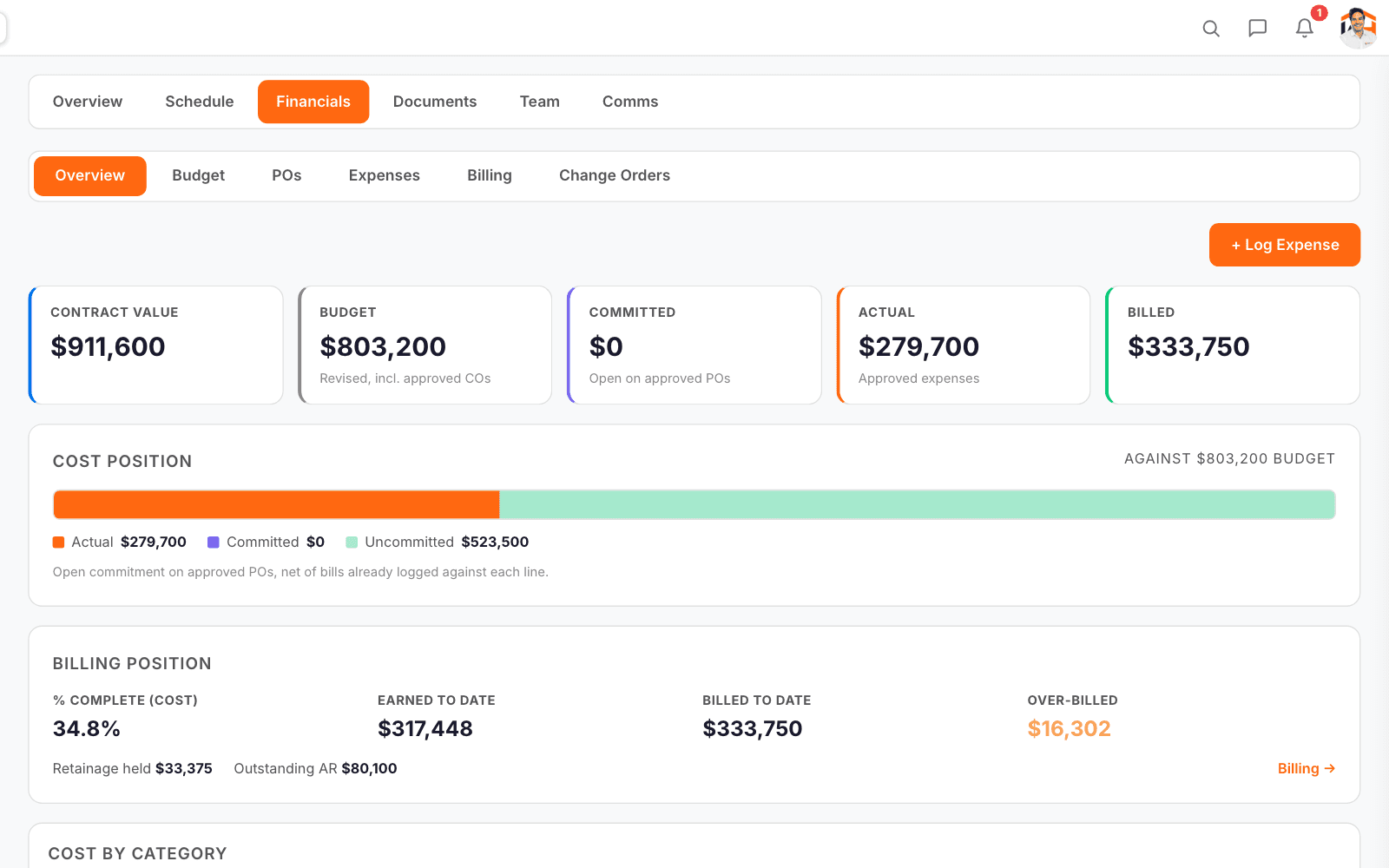
The Cornerstone job’s financial overview: contract, budget, committed, actual and billed, the cost position against budget and the billing position with retainage held.

How job financials works in WorkHoist

9 steps
  1. Every job’s money in one place

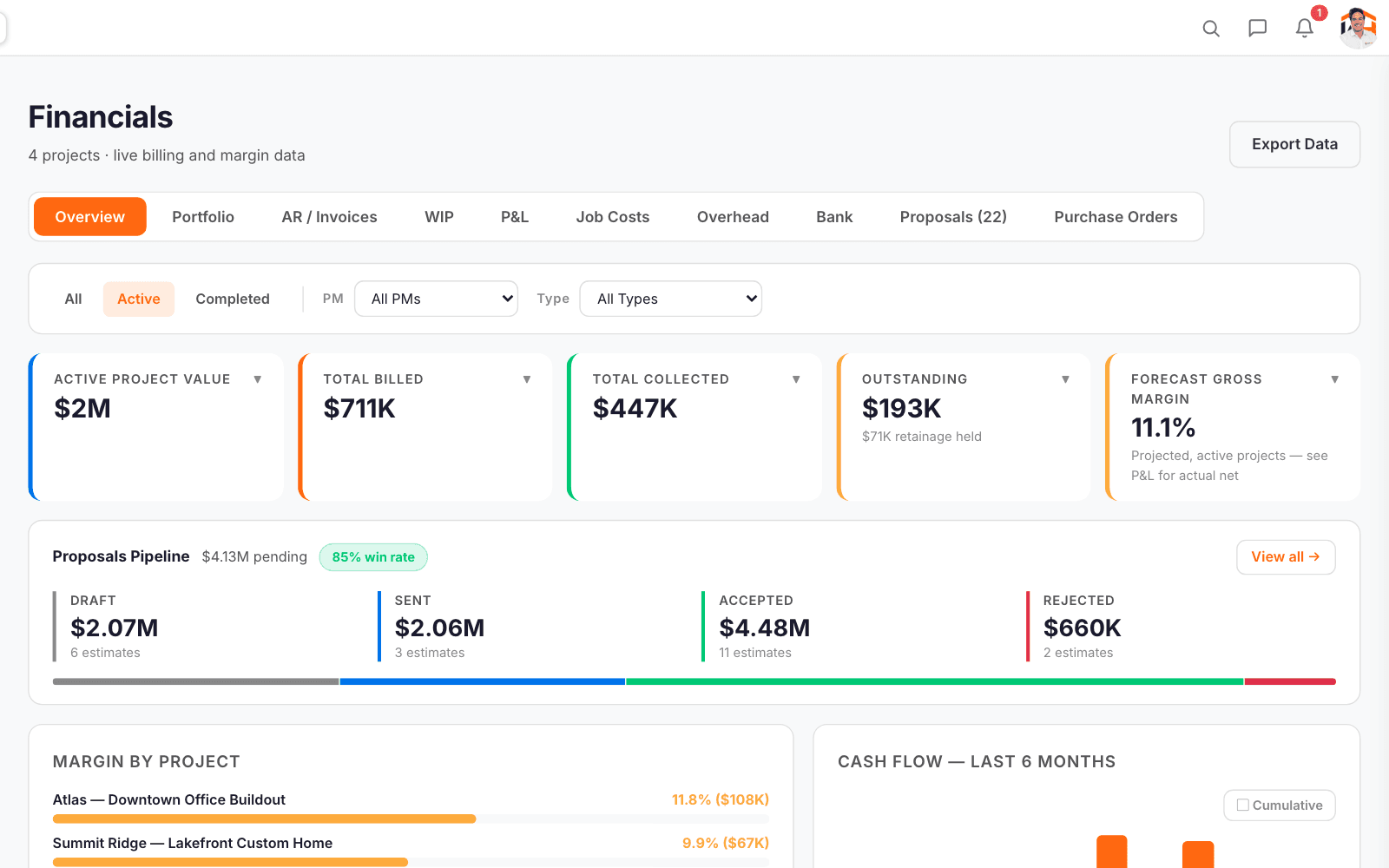
    Company financials: active project value, billed, collected, outstanding and forecast gross margin, with the proposals pipeline, margin by project and cash flow.

    Value, billed, collected, outstanding and forecast margin across the company, with margin by project and six months of cash flow.

  2. Where each job stands

    The Atlas job’s financial overview: contract, budget, committed, actual and billed, cost position and billing position.

    On every job: contract value, budget, committed, actual and billed, the cost position against budget, and the billing position with retainage held.

  3. Budget against actual, line by line

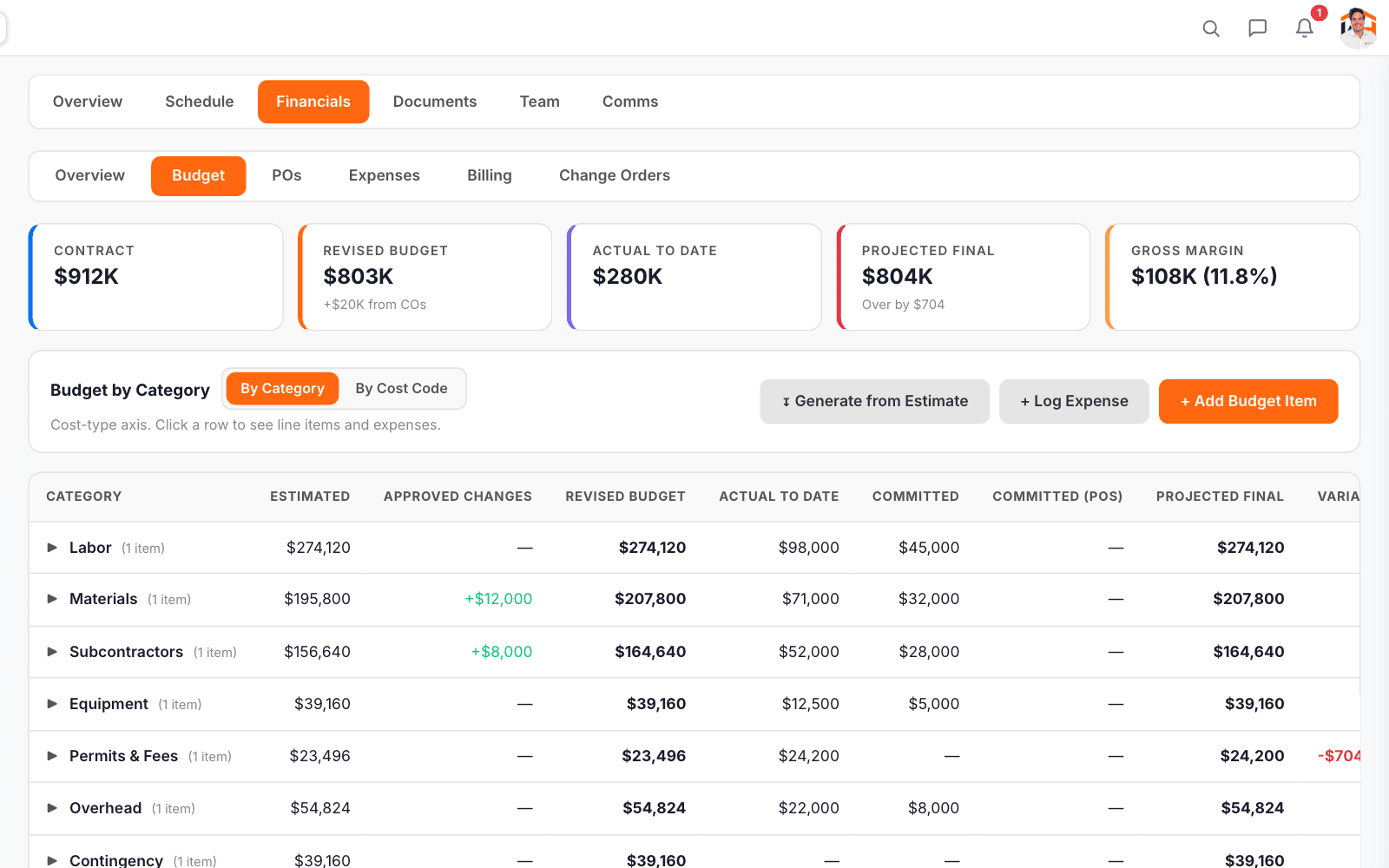
    The Atlas budget by category: estimated, approved changes, revised budget, actual to date, committed and projected final.

    Each budget line shows estimated, approved changes, revised budget, actual to date, committed and projected final, by category or by cost code.

  4. Change orders priced as you type

    Enter your cost and markup and the owner price and margin show as you go. Submit it, approve it, and the budget updates for its category.

  5. Purchase orders against the job

    Raise a PO with the vendor and its lines against the job and send it for approval. Numbers run PO-001, PO-002 and on for your company.

  6. Expenses with the receipt

    Log a cost against the job with a photo or PDF of the receipt. Expenses from field crew and subs wait for approval before they count.

  7. Progress billing on the schedule of values

    Bill this period against each line of the schedule of values. Retainage and net payable are worked out, and the invoice prints as an AIA G702/G703.

  8. A P&L you can hand to the accountant

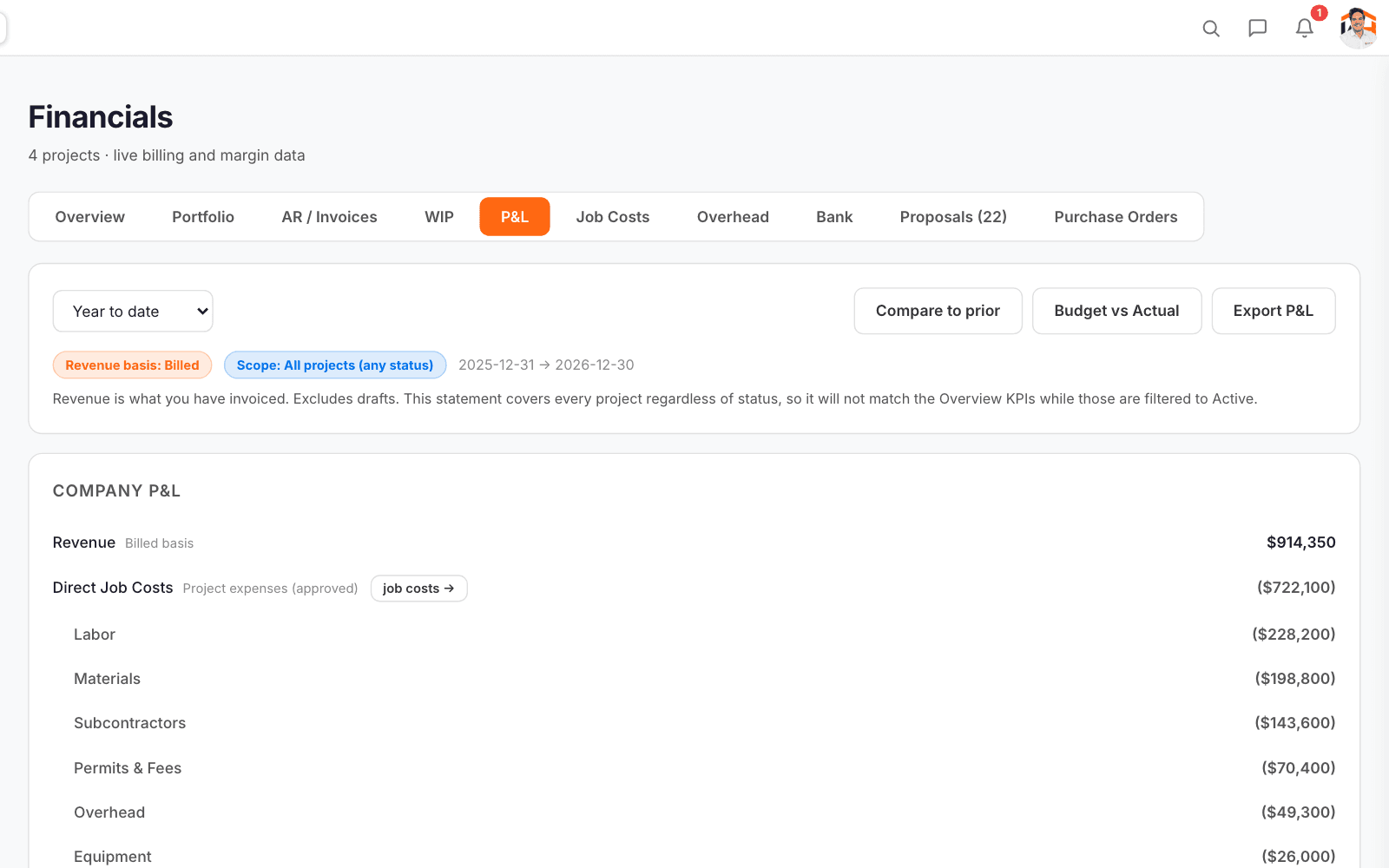
    The company P&L for the year to date: revenue, direct job costs by category and gross margin.

    Revenue, direct job costs by category and margin for any period, compared with the prior period or the budget, and exported to a workbook with a sheet per project.

  9. Work in progress, job by job

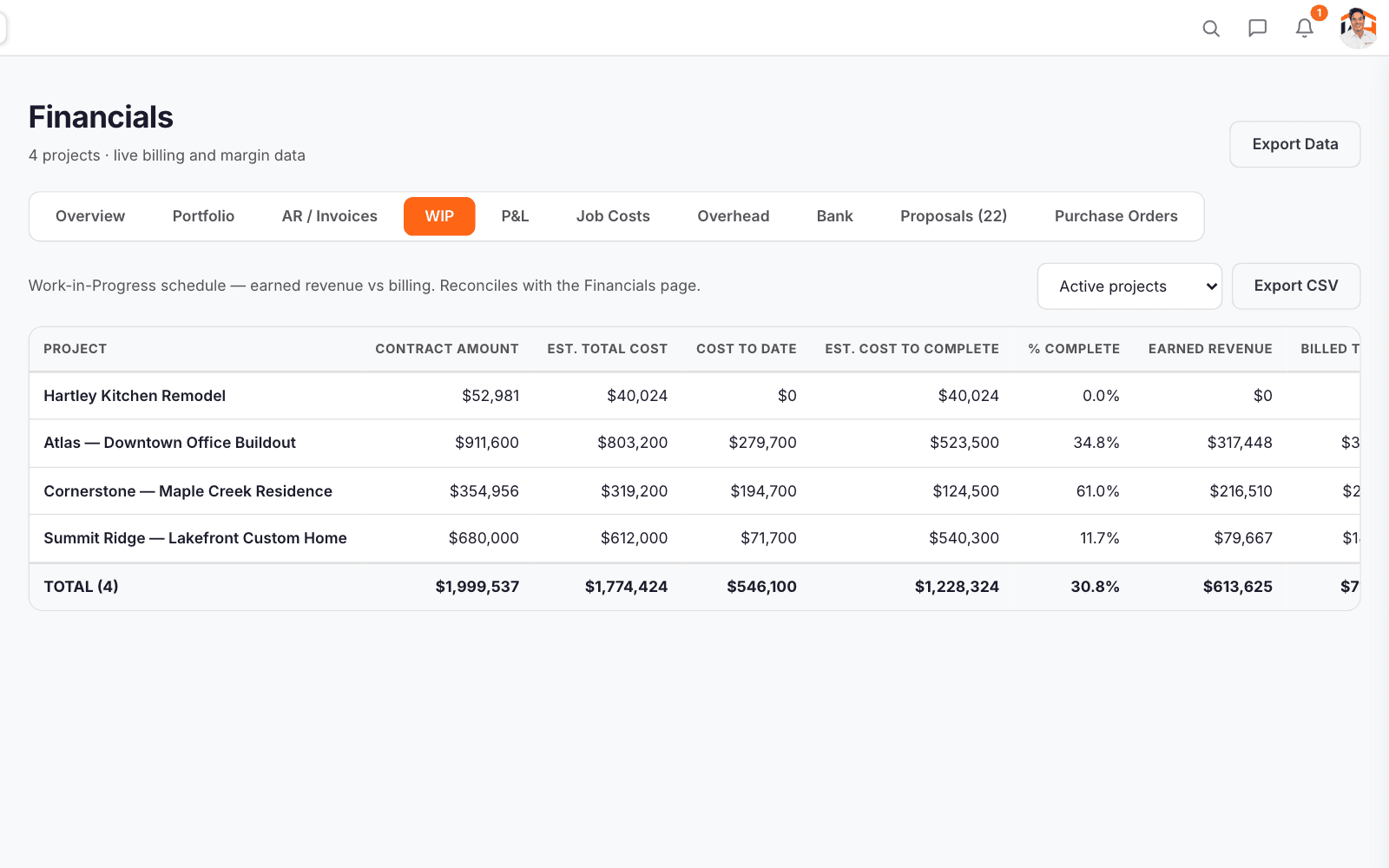
    The WIP schedule: contract amount, estimated cost, cost to date, percent complete and earned revenue for four jobs.

    Contract, estimated cost, cost to date, earned revenue, billed to date and over- or under-billing for every job, exportable as a CSV.

Common questions, answered straight.

Straight answers on job financials. Anything else, ask on a demo call and we will show you on your own jobs.

Book a demo →
WorkHoist works alongside it. WorkHoist holds the job-level picture: budget, cost (labor cost from time cards included), billing and margin per job. Your books stay in your accounting software. If that is QuickBooks Online, WorkHoist sends invoices, payments received, expenses, bills and bill payments to it, one way, when you click Send; the P&L and WIP also export to CSV for your bookkeeper.
Yes. Invoices can be built from a schedule of values as an AIA G702/G703 pay application, with retainage held and later released, and each one produces a PDF.
Contract value less cost. The budget is built at cost from the estimate, actual costs are entered against it, and the projected margin moves as they are. An expense counts once it is approved.
Every plan. Plans differ by how many paid seats you need and the onboarding you get, while every feature is switched on for all of them.

Compare

See it on your own jobs

14 days free · No credit card · Cancel anytime · Your data exports with you