Construction estimating and proposal software
Price the job line by line, send a proposal with your name on it, and start the won job with its budget already at cost.
How estimating & proposals works in WorkHoist
9 stepsStart the estimate from the lead
Open the lead and click New. The estimate picks up the client, the contact and the site address from the lead, so the job details are typed once.
Load the template you always start from
A template holds the sections you price every job in, with your usual overhead and profit. Load one and the estimate is laid out before you price a line.
Price it line by line, with markup on each line
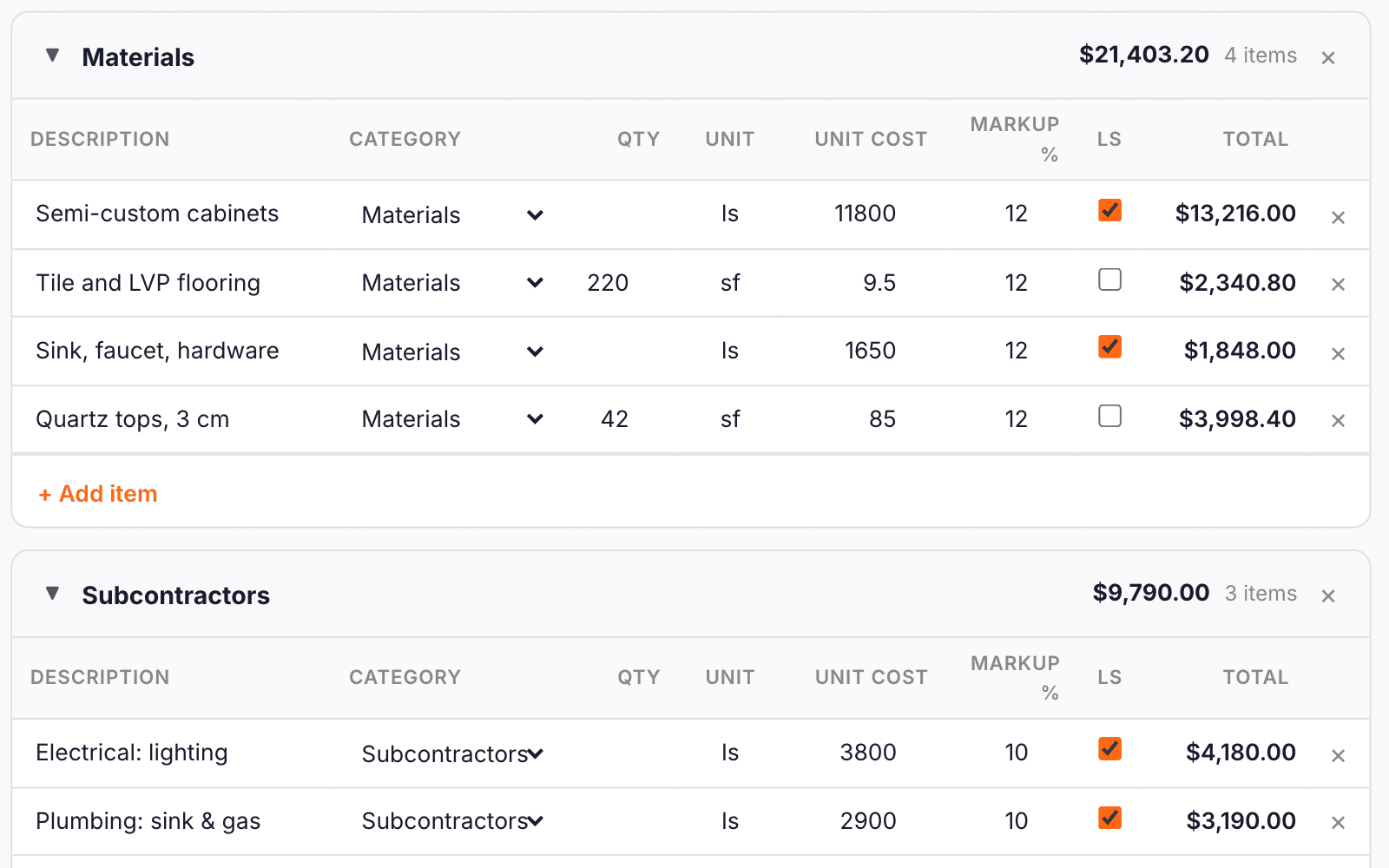
Each line takes a description, a cost type, quantity, unit and unit cost, and its own markup. A lump-sum line takes one price. Section totals update as you type.
Overhead and profit on top
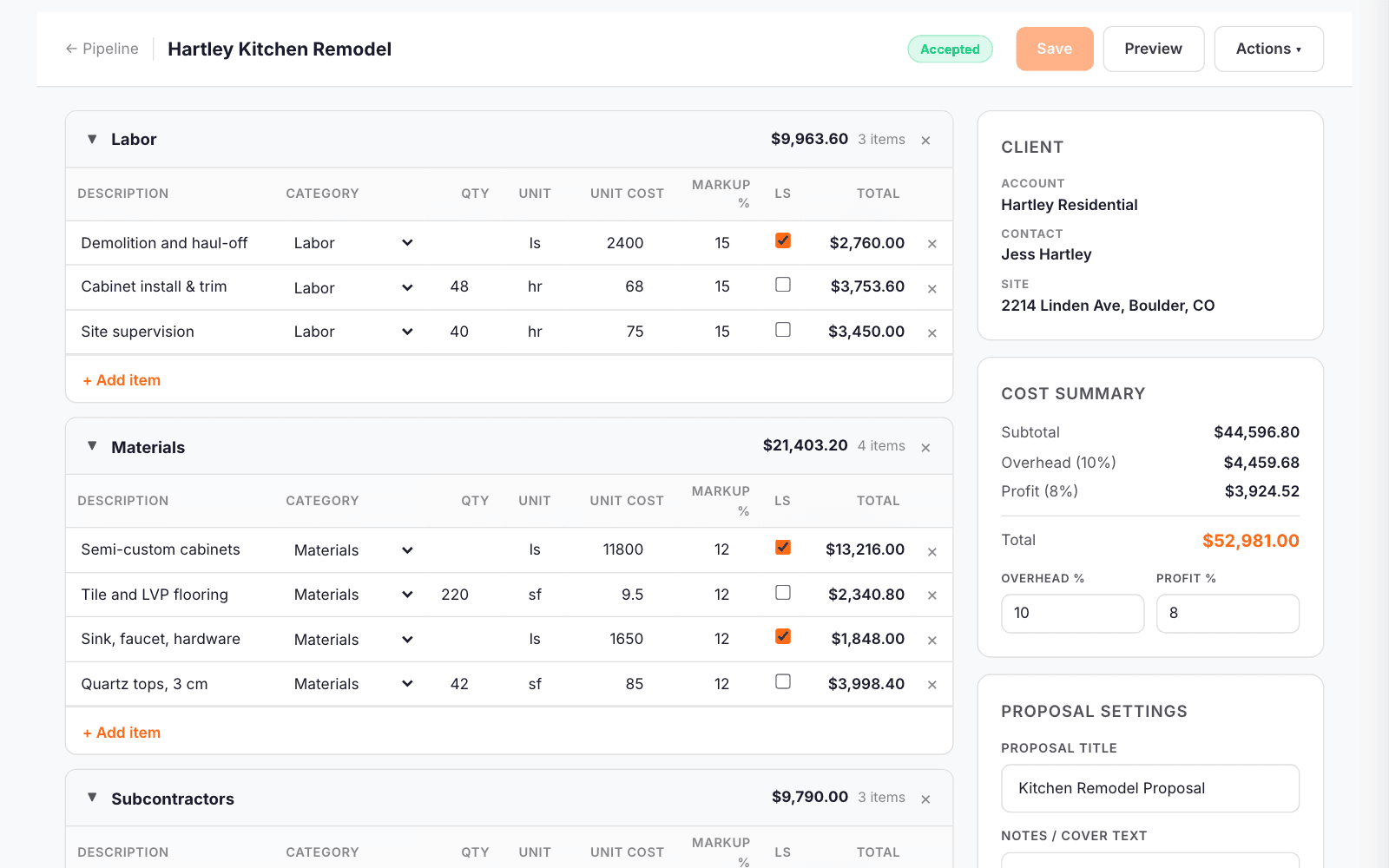
Set overhead and profit for the job and the cost summary shows the subtotal, each one, and the total you will quote.
A proposal with your name on it
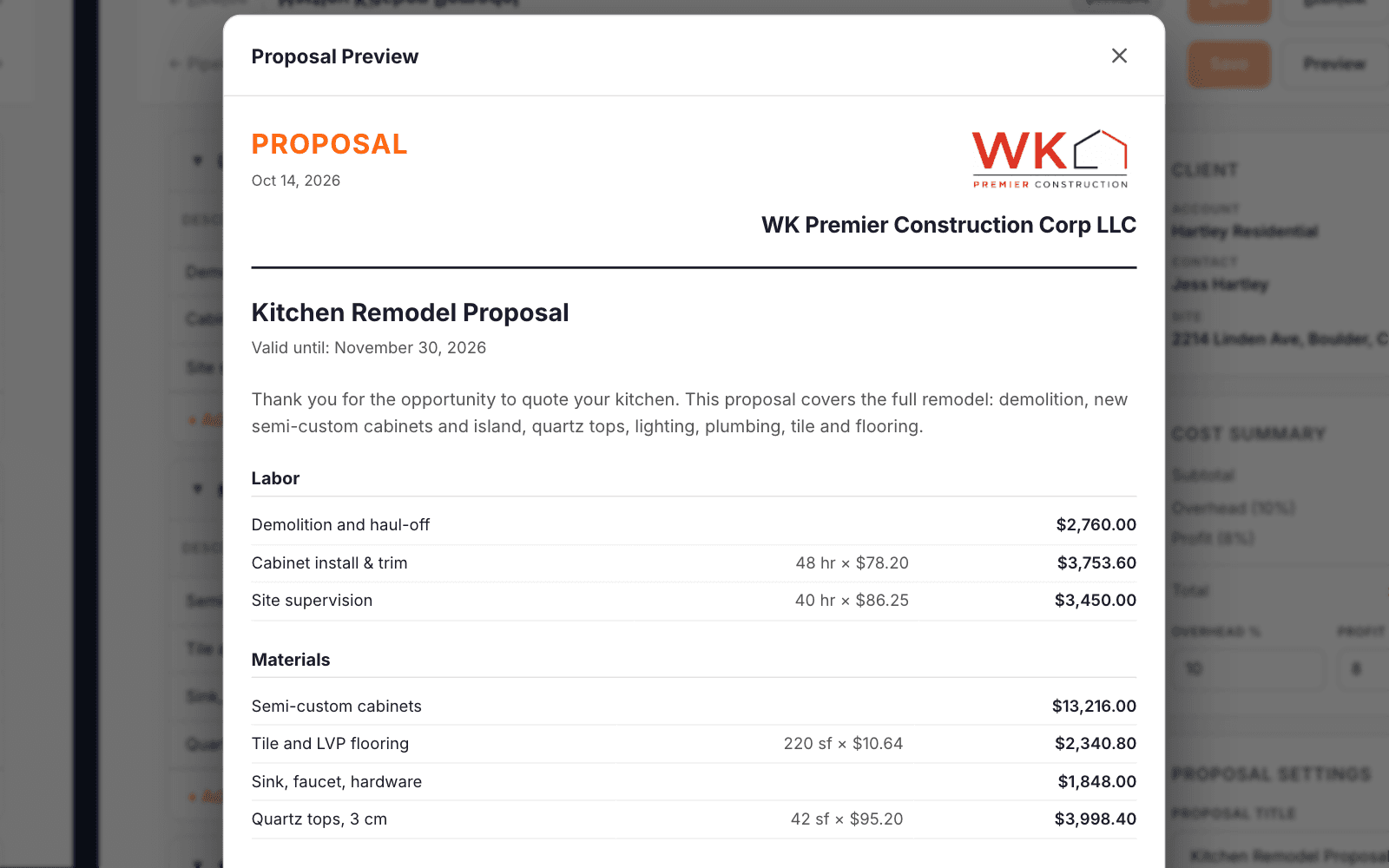
Give it a title, cover text and a valid-until date. Choose whether the client sees every line or section totals, show markup or fold it into the prices, and add a signature block. Preview it and save it as a PDF to send.
The drawings stay with the bid
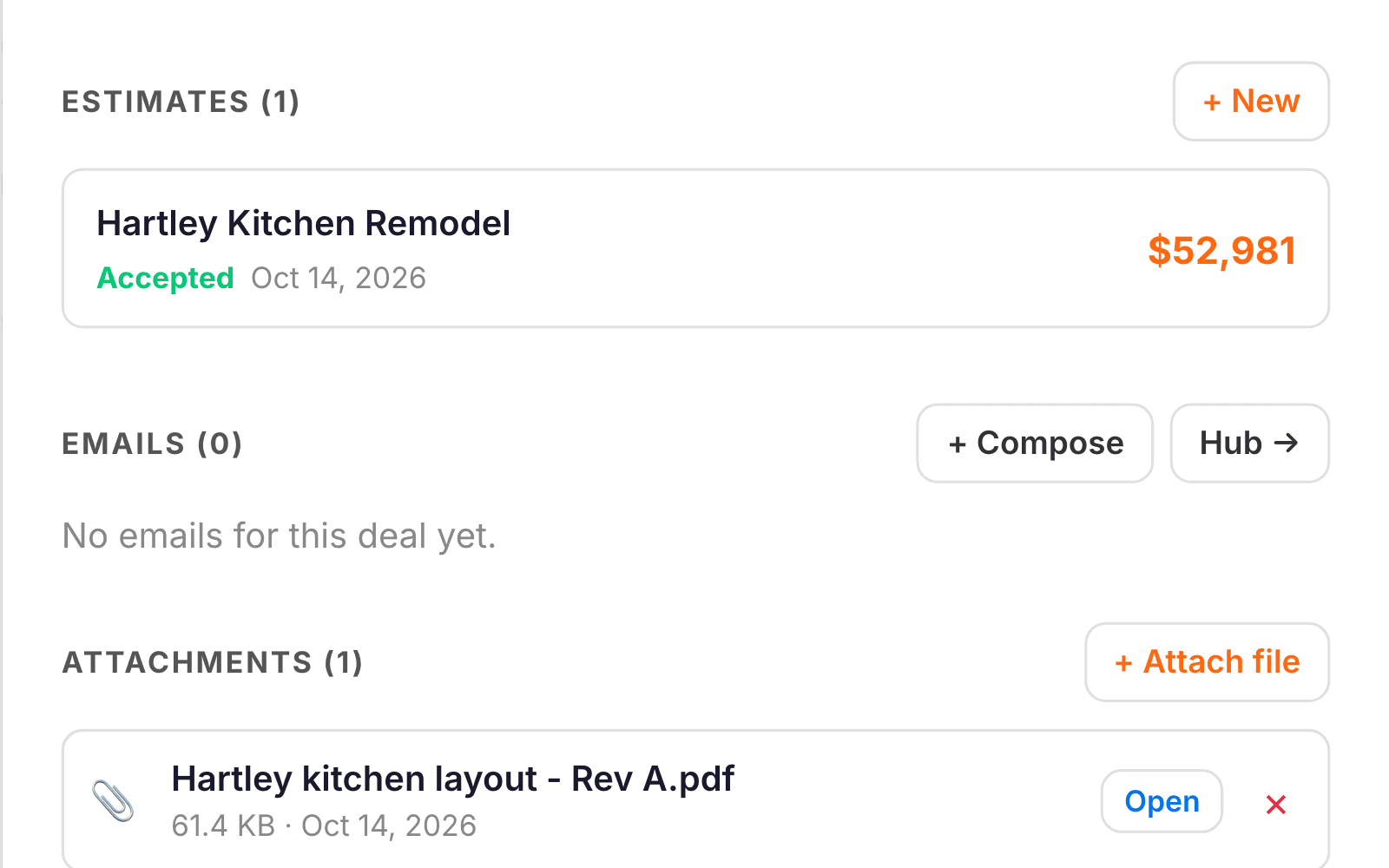
Plans and scope documents attach to the lead, beside its estimates. When you win the job they move into the project’s documents.
Mark it sent, then accepted
When the proposal goes out, mark the estimate Sent. When the client says yes, mark it Accepted. Both dates are recorded, and the Proposals list filters every estimate by where it stands.
Win the job and launch the project
Convert to Project opens the handoff. The contract value comes from the estimate, the client, contact and address carry over, and a project template lays out the phases and tasks from your start date.
The budget starts at cost
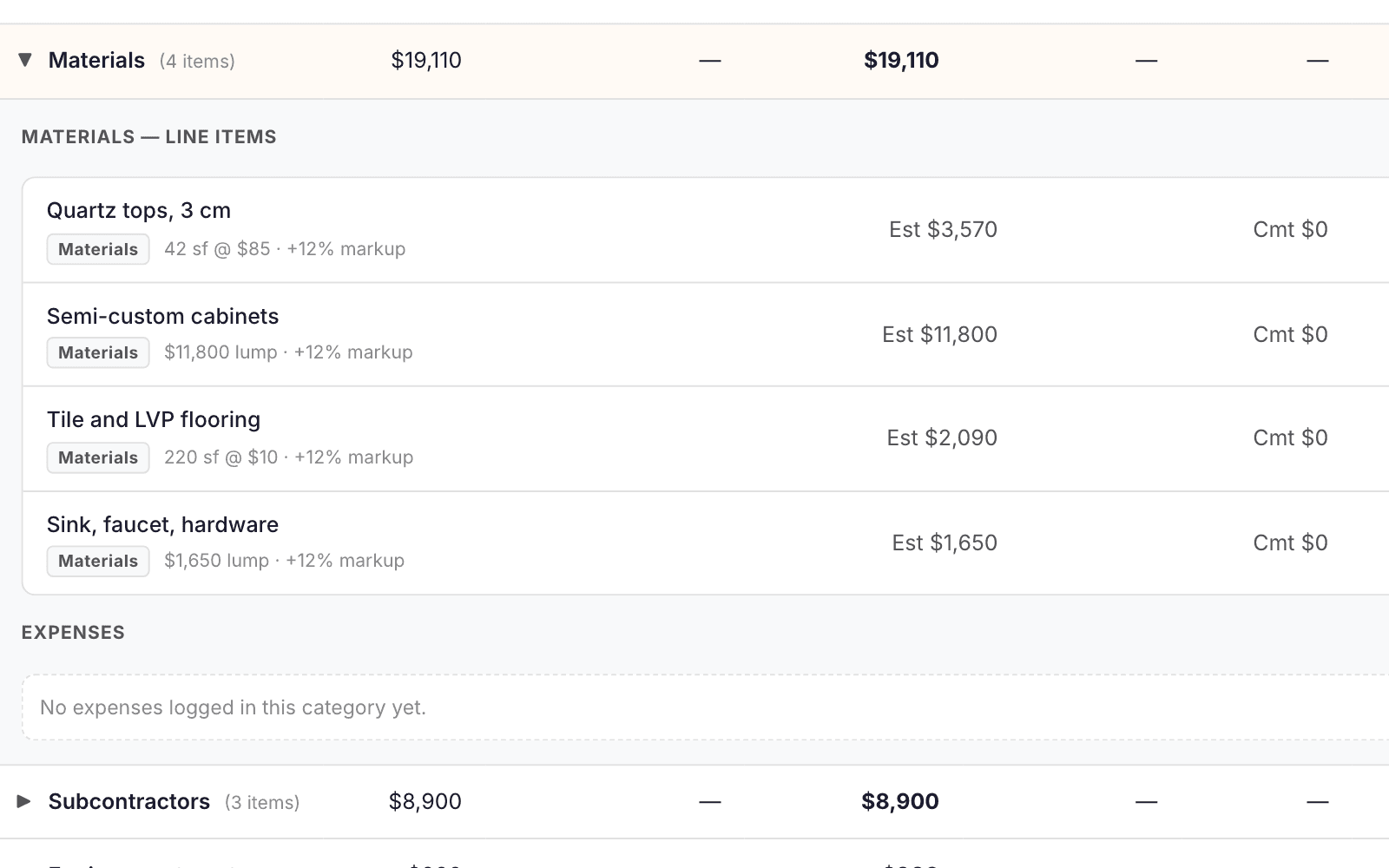
Every estimate line becomes a budget line at cost, with the markup left out, so the margin you priced is the margin you track. Here the $52,981 contract starts with a $40,024 budget.